


How to Get AdSense Approval Easily and Fast
Get AdSense approval easily and fast. Fix site flaws, add top content, and meet Google rules with our clear steps. Start earning now.
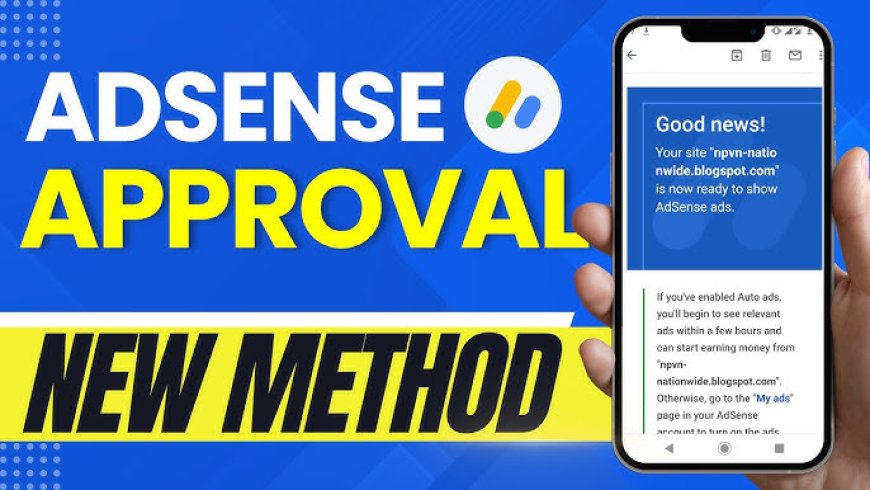
The Definitive 2026 Guide: How to Get AdSense Approval Easily and Fast
Getting rejected for AdSense stings. You pour time into your site, only to hear "not ready yet." In 2026, Google's rules got tougher. They check for real value and solid setup more than ever. But don't worry. Approval comes down to smart steps, not chance. This guide gives you a clear path to win AdSense approval fast. You'll learn what to fix before you apply and how to handle the process.
Introduction: Unlocking Your Monetization Potential in the Evolving Web Landscape
Picture this. Your blog's buzzing with visitors. You're ready to earn cash from ads. Then, bam—rejection email. It happens to many in 2026. Standards tightened after AI flooded the web with junk. Google now spots low-effort sites quick. Yet, with the right moves, you can beat that. AdSense wants sites that help users and follow rules.
This article lays out a full plan. It's built for 2026's picky reviewers. Follow it, and you'll boost your odds big time. No fluff. Just steps that work. Ready to turn frustration into approval? Let's dive in.
Section 1: Laying the Foundation – Meeting Google’s Core Quality Standards Before Applying
Build a strong base first. Without it, your application flops. Focus on what Google checks right away: content, tech setup, and trust signals. Skip these, and you're out before starting.
Originality and High-Value Content Pillars
Your site needs fresh, useful posts. Google loves E-E-A-T—experience, expertise, authoritativeness, and trust. That means no copied stuff. Aim for 15 to 20 solid articles. Each one should solve real problems in your niche.
Think deep dives, not quick lists. For example, if you blog about gardening, share tips from your own yard trials. Not just facts from elsewhere. This shows you're the go-to expert. Readers stick around, and reviewers notice.
To hit the mark, pick a tight niche. Write from what you know. Add personal stories. That builds trust fast.
Technical Prerequisites: Site Speed and Mobile-First Design
Slow sites kill chances. In 2026, Google ranks speed high. It's part of Core Web Vitals. That covers loading time, interactivity, and layout shifts. Aim for green scores across the board.
Mobile matters most. Over half of traffic comes from phones. Use responsive design. Test on real devices. Fix issues like tiny buttons or blurry text.
Grab Google PageSpeed Insights. It flags problems. Compress images to shrink file sizes. Cut big scripts that block rendering. Tools like TinyPNG help with pics. After tweaks, retest. Fast sites feel pro and keep users happy.
Essential Legal Pages: Compliance as a Trust Signal
Google demands clear rules on your site. Miss them, and rejection follows. Start with a Privacy Policy. Cover data collection, especially if you're in Europe or California. Include GDPR notices or CCPA opt-outs.
Add Terms and Conditions. Spell out user rules and your rights. A Disclaimer page warns about advice limits. Say it's not pro counsel.
Many get dinged for skipping these. One blogger lost approval over no CCPA link. Fix that. Use free templates from sites like Termly. Customize them. Place links in your footer. It screams "we're legit."
Section 2: Navigating the "Thin Content" Minefield in the AI Era
AI tools make writing easy. But Google sniffs out lazy use. In 2026, they flag thin content hard. Show human touch to pass. It's about quality over quick output.
Differentiating Between AI-Assisted and AI-Generated Content
Google's cool with AI drafts. But the end result must shine with your voice. Add unique angles. Back claims with checks.
For instance, if AI spits out a recipe post, tweak it with your twists. Test the dish yourself. Cite fresh sources. This proves oversight.
Run a strict edit loop. Read aloud. Fact-check every stat. Tools like Grammarly spot AI patterns. Polish till it feels real. Reviewers want helpful, not robotic, reads.
Establishing Author Authority and Transparency
Who writes this? Google asks. Add bios to each post. Link to your LinkedIn or Twitter. Share credentials. "I've coached 50 gardeners" beats nothing.
Build an About Us page. List your team or solo story. Include photos. It humanizes your site.
This boosts E-E-A-T. Readers trust named experts more. One study shows sites with bios get 20% more shares. Make it easy to see you're real.
Strategic Content Pruning and Categorization
Don't hoard weak posts. They drag you down. Scan for thin ones—short, no depth. Delete or beef them up.
Use Google Analytics. Spot pages with no views or high exits. Fix or nix them. Group content by topics. Like categories for "beginner tips" or "advanced hacks."
This cleans your site. Reviewers navigate better. Aim for 80% strong content. Quality wins in 2026's crowded web.
For more on smart monetization options, check blog ad networks.
Section 3: Site Structure and User Experience (UX) Optimization for Reviewers
Reviewers act like users. Make your site a breeze to explore. Good flow shows care. Bad setup? Instant red flag.
Intuitive Navigation and Internal Linking Structure
Keep menus simple. Main categories up top. Footer for extras. Users find stuff in two clicks max.
Link posts inside. A gardening tip post should point to tools reviews. It keeps folks reading.
Add a Sitemap page. List all key sections. Even if Google has your XML, this helps humans. Tools like Yoast build it quick.
Image Quality and Ad Placement Pre-Approval Simulation
Use sharp, owned images. No stock fluff. License free ones from Unsplash. Add alt text like "easy tomato planting steps 2026." It aids SEO and access.
Skip ad spots till approved. Fake placeholders look shady. Imagine empty boxes—reviewers hate that.
Test placement mentally. Think sidebar or below content. But wait. Focus on clean design now.
Contact Us Page: Verifiable Communication Channels
You need ways to chat. A form is must-have. Use plugins like Contact Form 7. Add your email too.
Make it work. Test sends. Include social links if active.
This builds trust. Google wants reachable sites. One rejection came from a broken form. Don't let that be you.
Section 4: The Application Process: Timing, Submission, and Technical Checks
Now, the big step. Time it right. Prep hard. Common slips happen here.
Pre-Submission Checklist: The Final 72-Hour Review
Three days before, scrub clean. No other ad scripts. Like Amazon links? Pause them.
Check indexing in Search Console. Verify your domain there. No AdSense code yet.
Run a full scan. Fix errors. Tools like Screaming Frog spot issues. Sleep easy after.
Submitting via Search Console vs. Directly Through AdSense
Link Search Console to AdSense. Apply through the dashboard. It's smoother in 2026.
Direct apps work, but verified sites speed review. Google trusts confirmed owners.
Pick one. Follow prompts. Add your URL. Hit submit. Done.
Dealing with Initial Rejection: The Waiting Period and Next Steps
Wait 3 days to 2 weeks. Check email often.
If "insufficient content," add more depth. Not tweaks—new posts.
Tech rejects? Fix speed or pages. Stats say 40% fail on setup first try.
Reapply after fixes. No rush. Learn from it.
Conclusion: Sustaining Approval and Scaling Monetization Beyond Day One
AdSense rewards quality sites. Not piles of posts. Stick to these steps for easy approval in 2026.
Key actions: Show E-E-A-T with real expertise. Nail legal pages for trust. Optimize speed for smooth rides.
Once in, keep posting value. Update old stuff. Watch policies.
Start now. Your site's ready to earn. Build that passive income stream today.
What's Your Reaction?
 Like
0
Like
0
 Dislike
1
Dislike
1
 Love
0
Love
0
 Funny
0
Funny
0
 Angry
0
Angry
0
 Sad
0
Sad
0
 Wow
0
Wow
0